
CFPLStudio
The development environment for Creative Form Prompt Language (CFPL) — a controlled production pipeline for taking character artwork from an idea to organized, reusable, production-ready assets.
Why CFPLStudio
Generating a piece of character artwork is easy. Generating a character that stays consistent across dozens of images, survives revisions, and arrives ready for animation or production work is a much harder problem — and it is the problem CFPLStudio is built to address.
CFPLStudio connects the pieces that a real character-production workflow needs: a written character specification, the prompts generated from it, the visual assets that come back, a way to validate and normalize those assets, a way to split them into usable parts, and a way to organize and export the results. CFPLStudio is currently in active development. The current build is CFPLV5.1, and its tools, interfaces, and capabilities are still evolving.
The CFPL Production Pipeline
CFPLStudio carries a character through a controlled sequence of stages, from an initial blueprint through to an exported, production-ready package.
- Blueprint
- Builder
- Prompt
- Generate
- Validate
- Normalize
- Split
- Export

Inside CFPLStudio
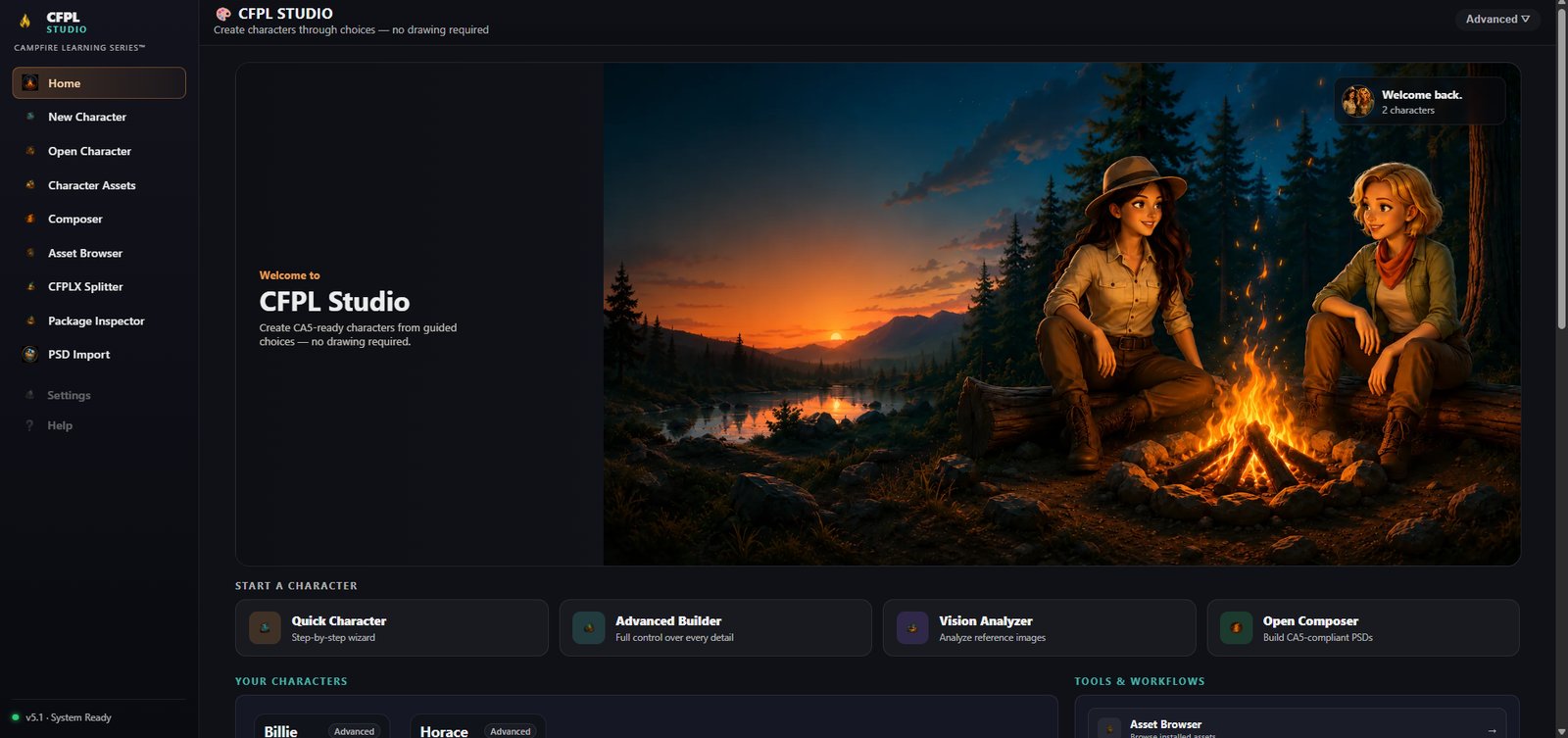
The CFPLStudio dashboard (build CFPLV5.1) — the starting point for a new or existing character, and a home base for every tool in the pipeline.
Tools in the CFPL Pipeline
CFPLStudio is made up of several connected tools. Three of them have their own dedicated pages.
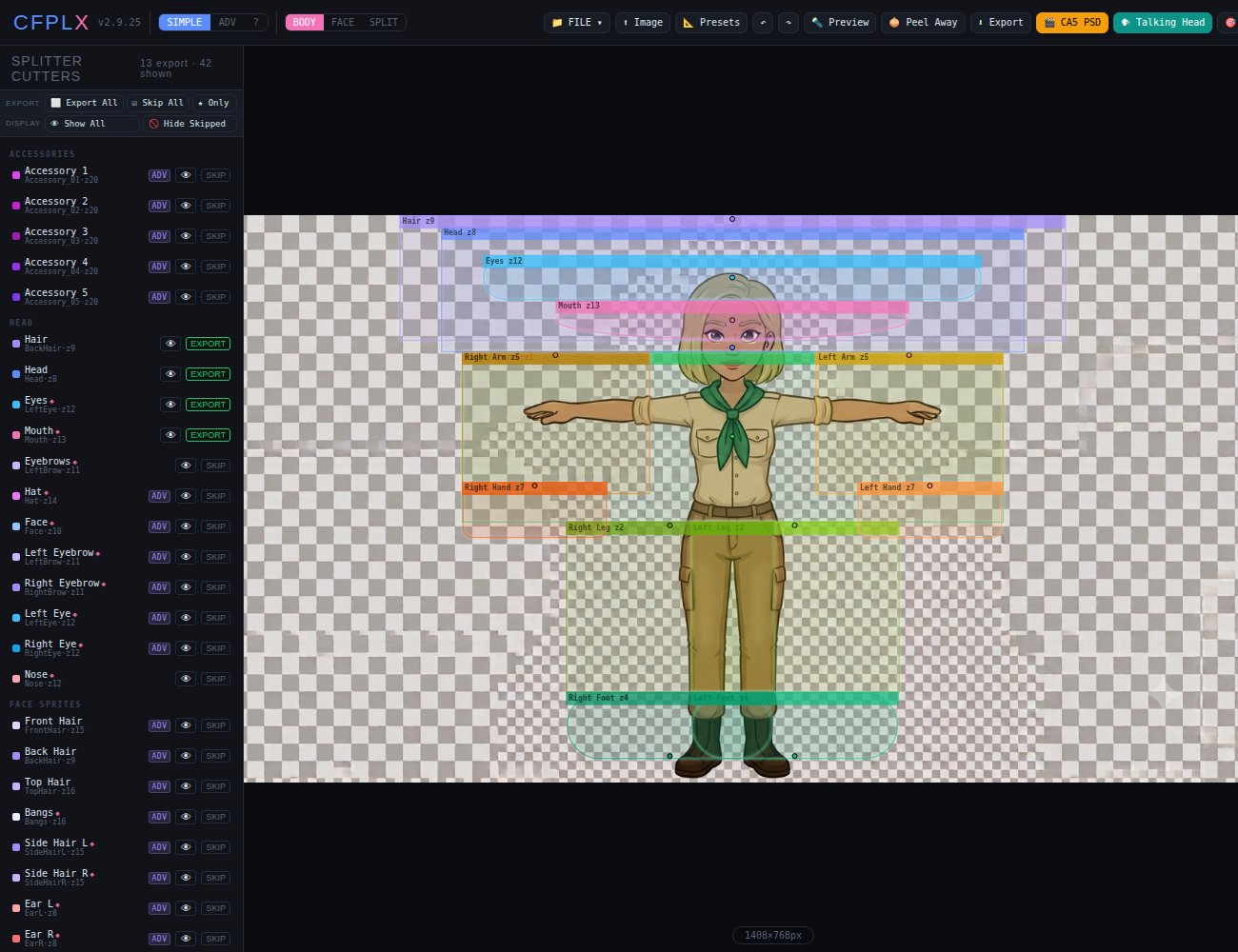
CFPLX Splitter
A visual workspace for turning one flattened generated image into separated character parts.
Explore CFPLX →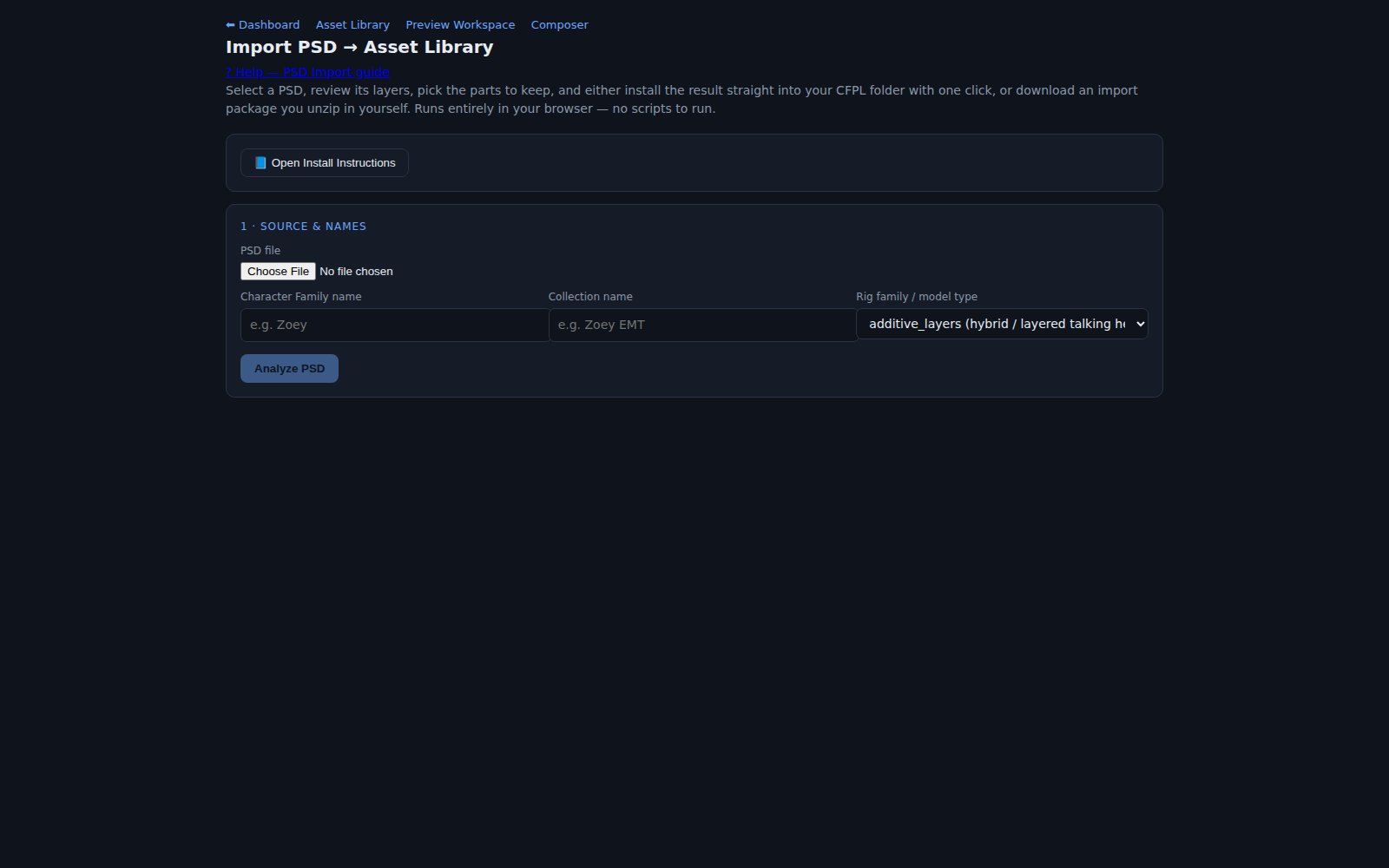
PSD Workflow
Turns a complicated layered Photoshop file into an organized, reusable CFPL asset collection.
Explore PSD Workflow →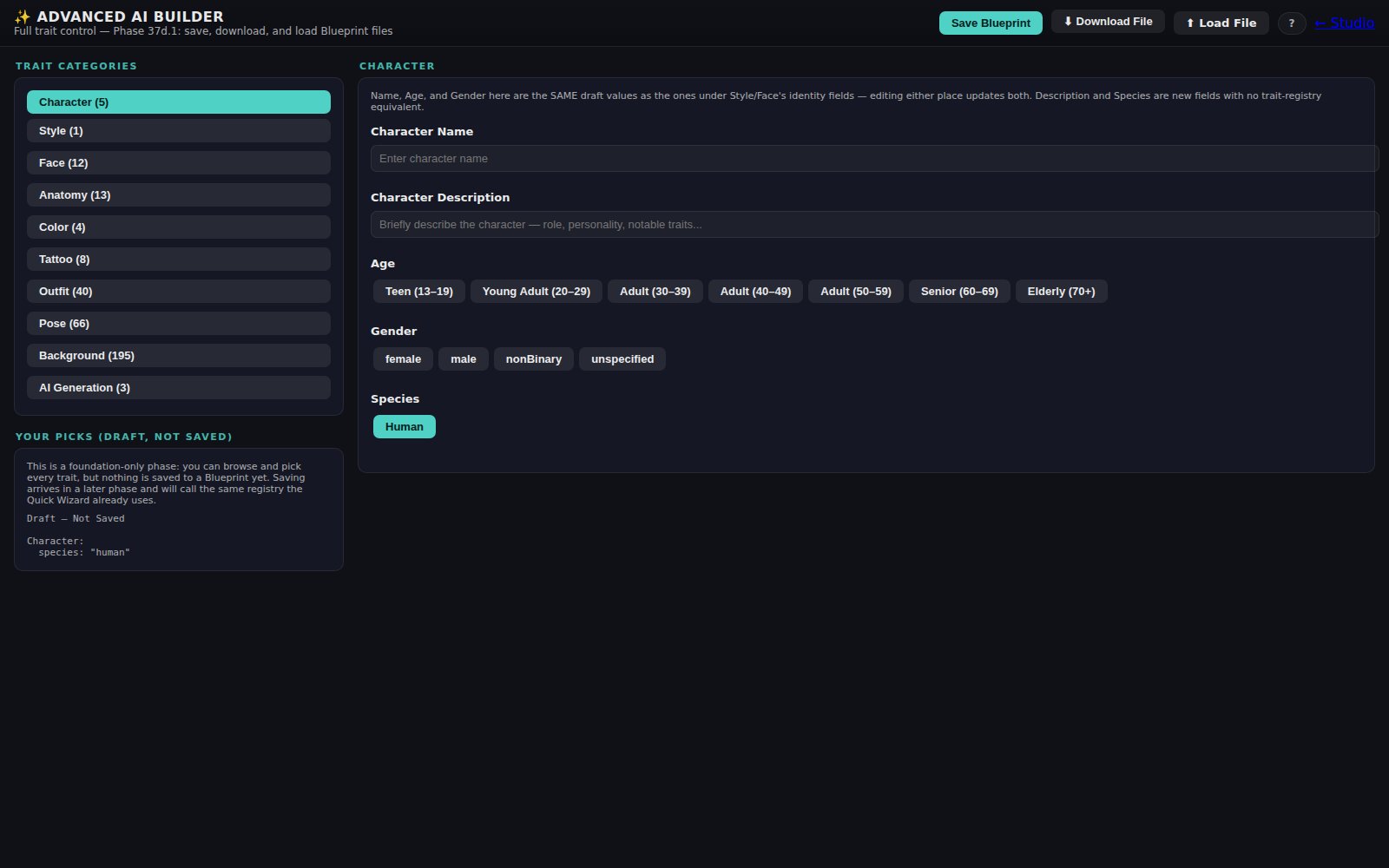
CFPL3D
An early-stage exploration of applying the controlled CFPL approach to three-dimensional character assets.
Explore CFPL3D →Controlled Character Development
At the center of CFPLStudio is the character builder, which records a structured specification for every character rather than leaving it to memory or a scattered set of notes. The builder records:
- Character identity
- Style
- Anatomy
- Colors
- Clothing
- Pose
- Background
- Output requirements
The purpose of this structure is to reduce character drift — the way small details can shift or disappear across separate prompts and generations — and to preserve a readable specification that stays consistent between prompts, generated images, revisions, and the downstream production tools that rely on them.
Interested in CFPLStudio?
CFPLStudio and CFPL are still under active development. If you’d like to learn more or follow along, get in touch with Campfire Learning Series.
Contact Campfire Learning Series